
QAGFoxhound
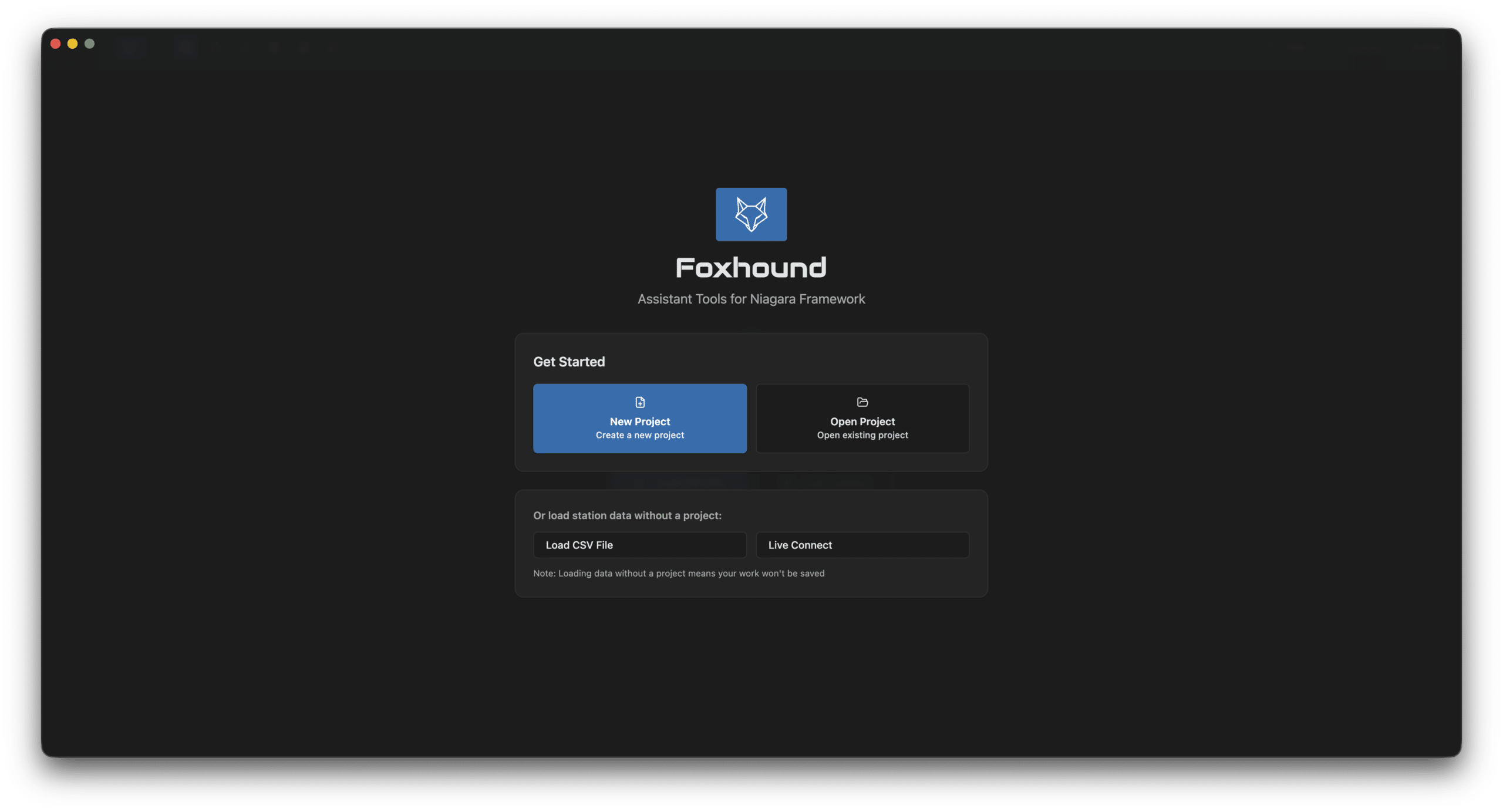
Foxhound is a desktop application that connects directly to your Tridium Niagara station, giving integrators a full suite of tools for exploring, reviewing, and documenting building automation projects. Streamline commissioning, catch errors, and generate professional reports. This will be sold as a yearly subscription per user and machine.
Key Features
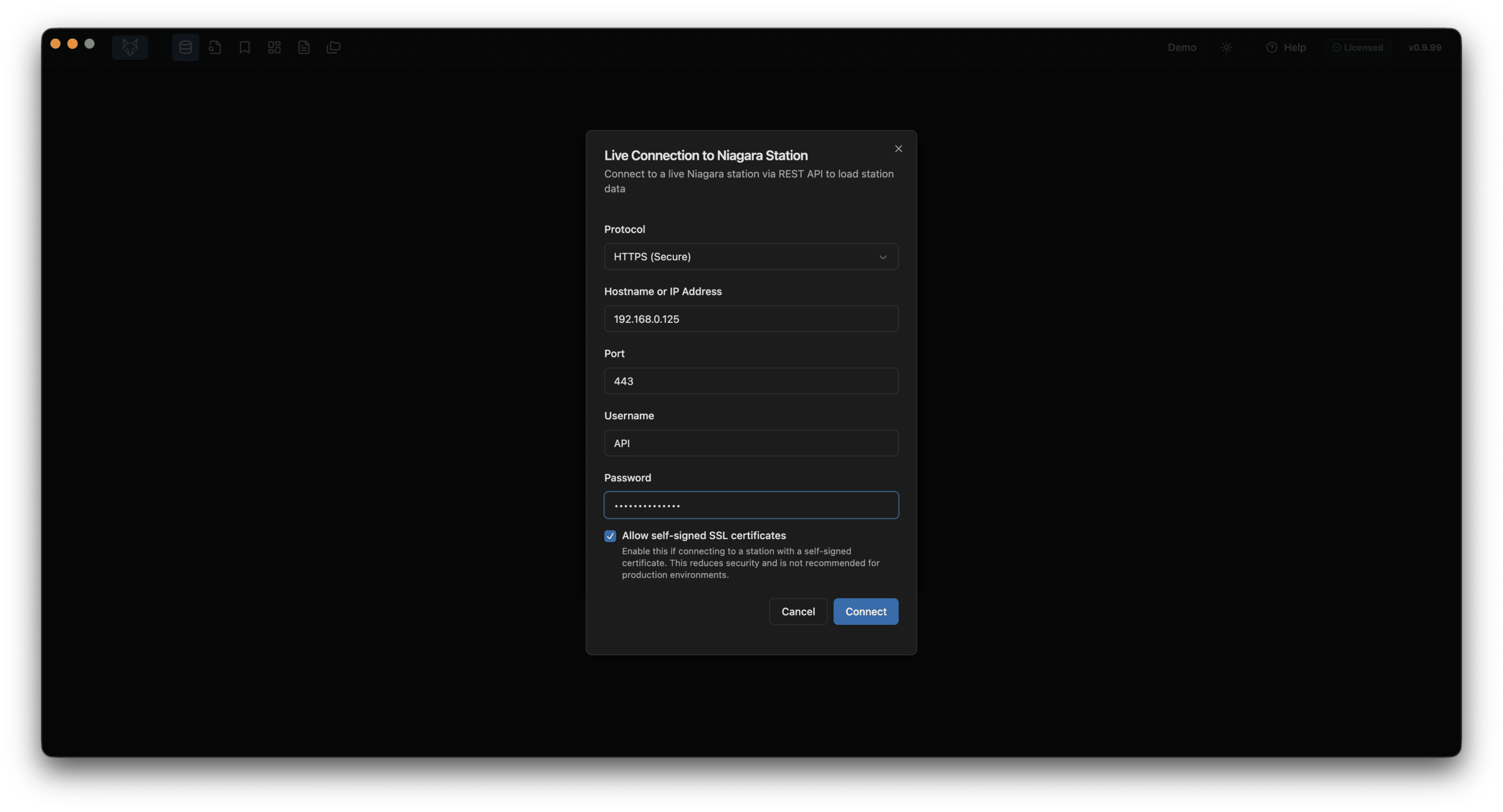
- Live Station Connection: Connect to any Niagara station via REST API over HTTPS. Query live point values and statuses
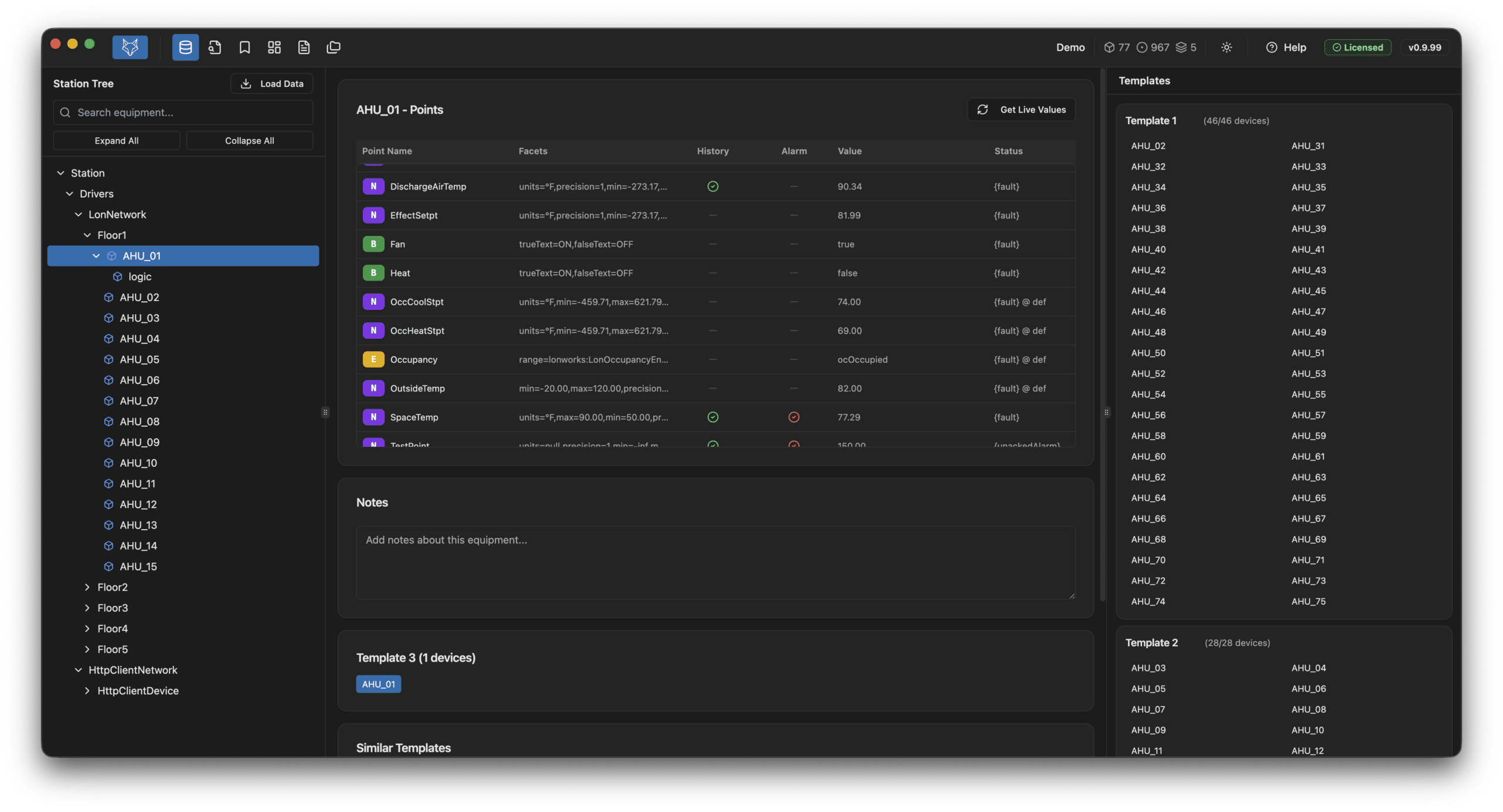
- Station Explorer: Browse equipment tree with search, view all points with types, facets, and extension status.
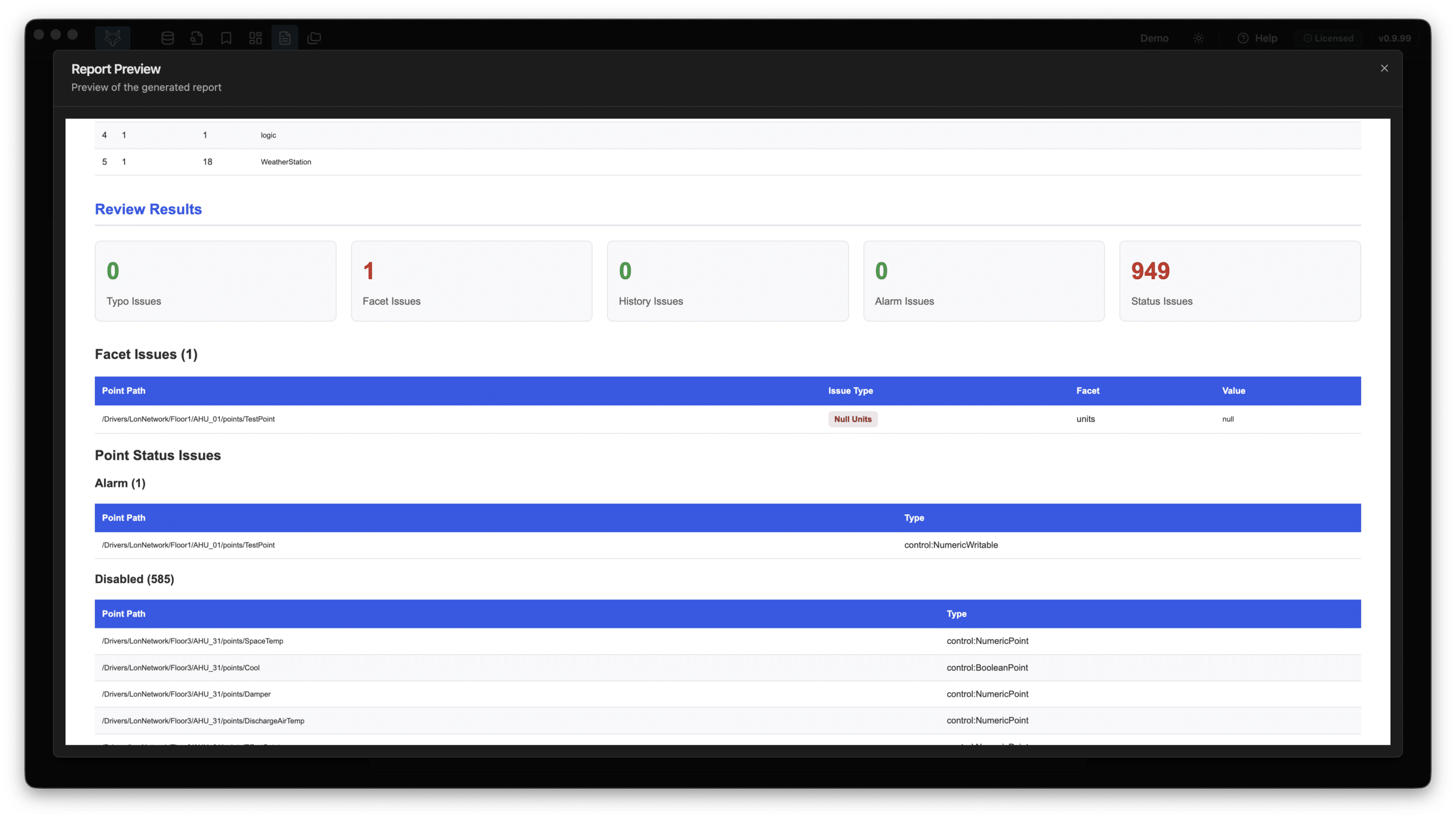
- QA Review Checks: Automated checks for point names, statuses, facets, history/alarm extensions, and graphics.
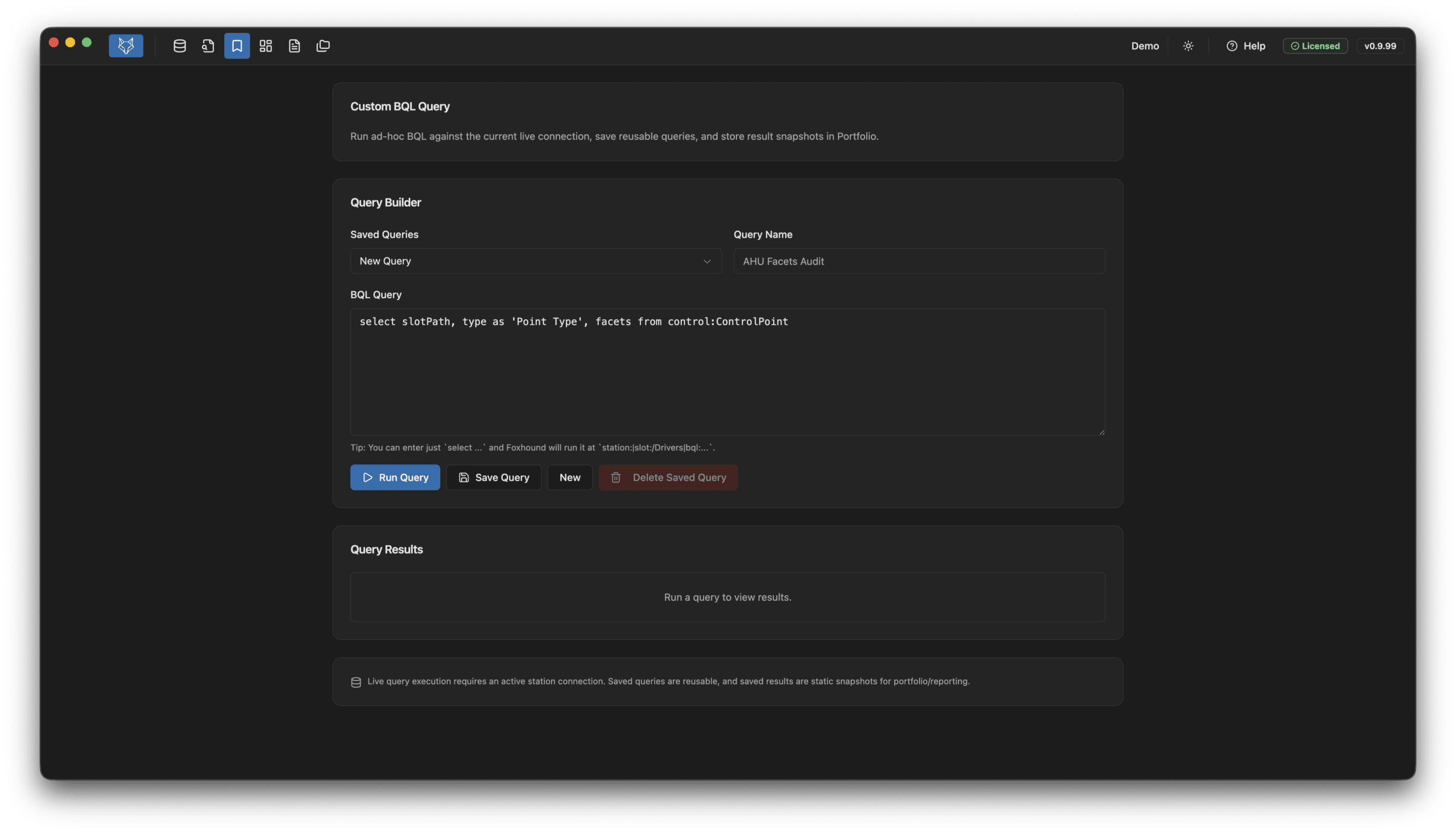
- Custom BQL Queries: Run your own BQL queries against a live connection. Save and include results in reports.
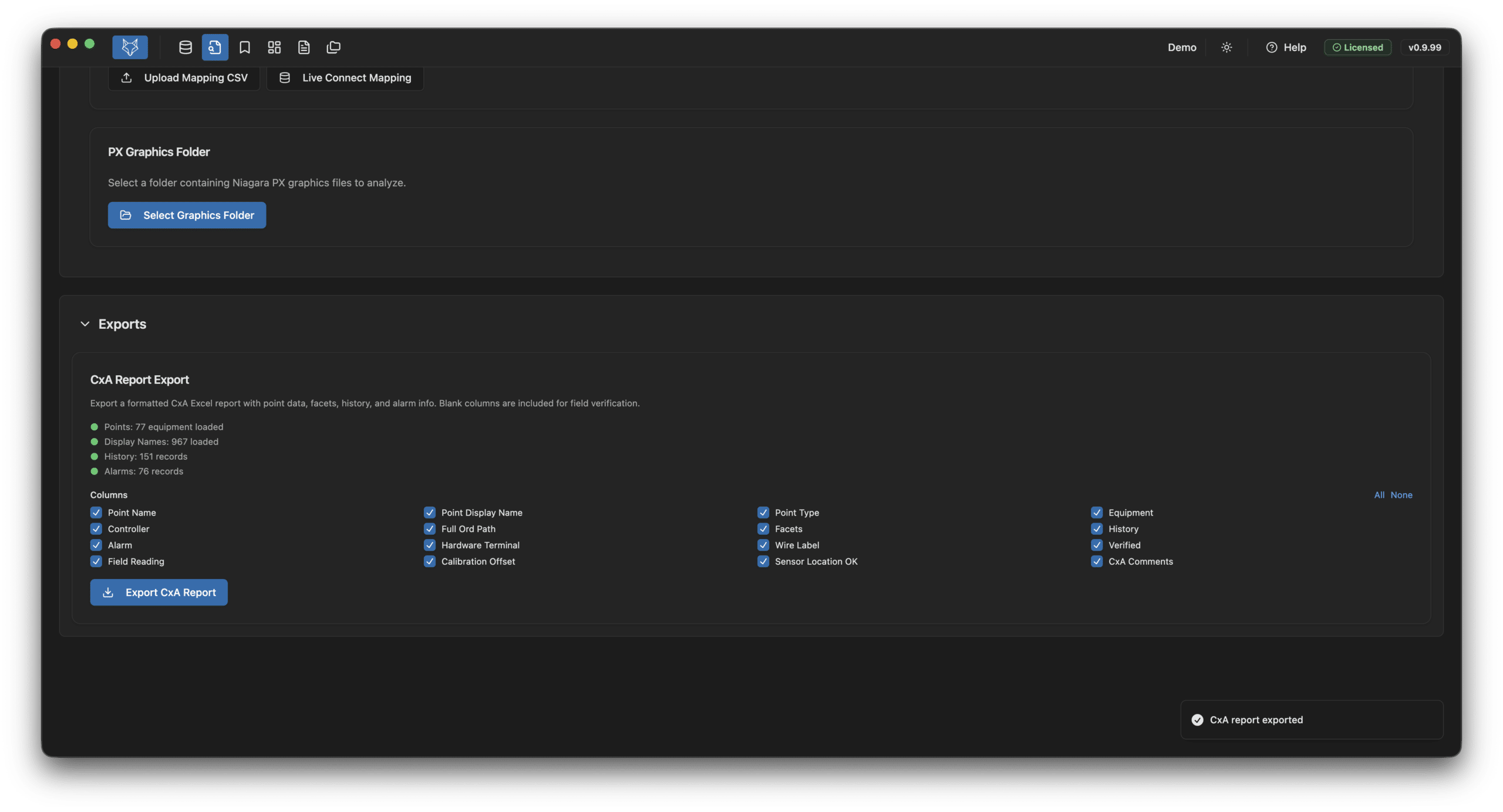
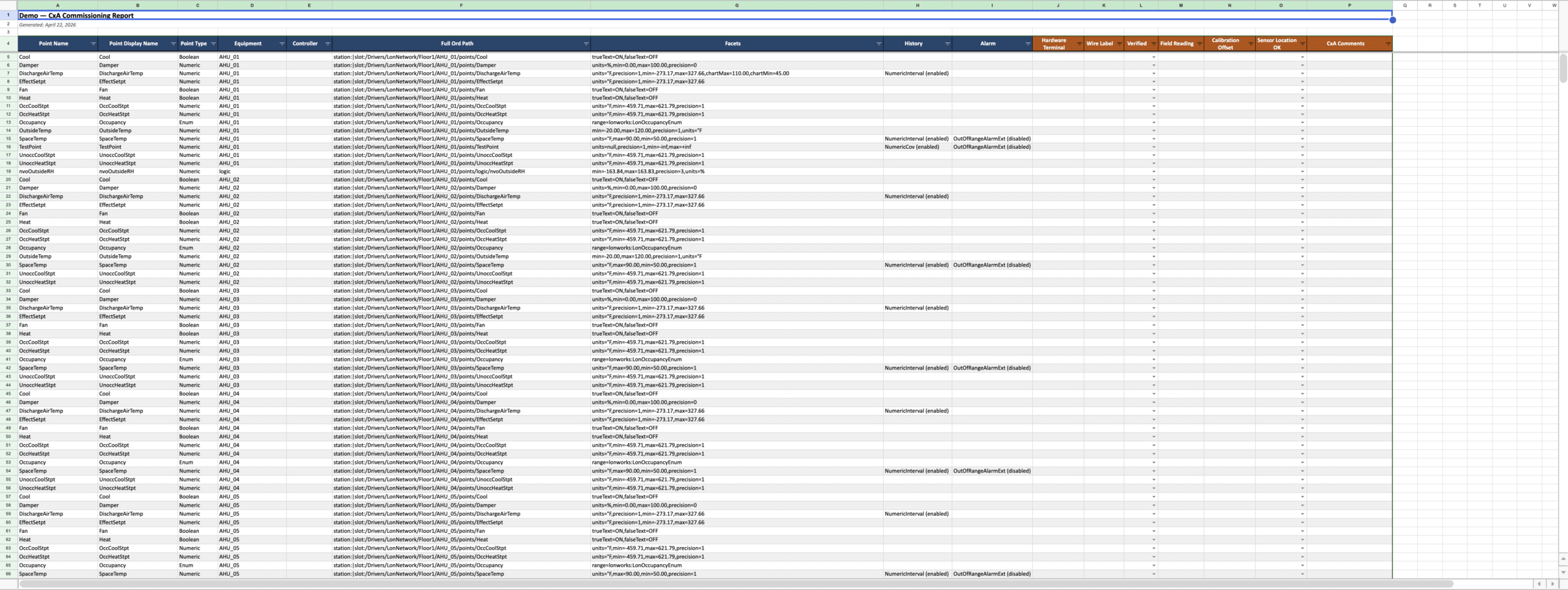
- Commissioning Export: Generate a points list schedule as an export
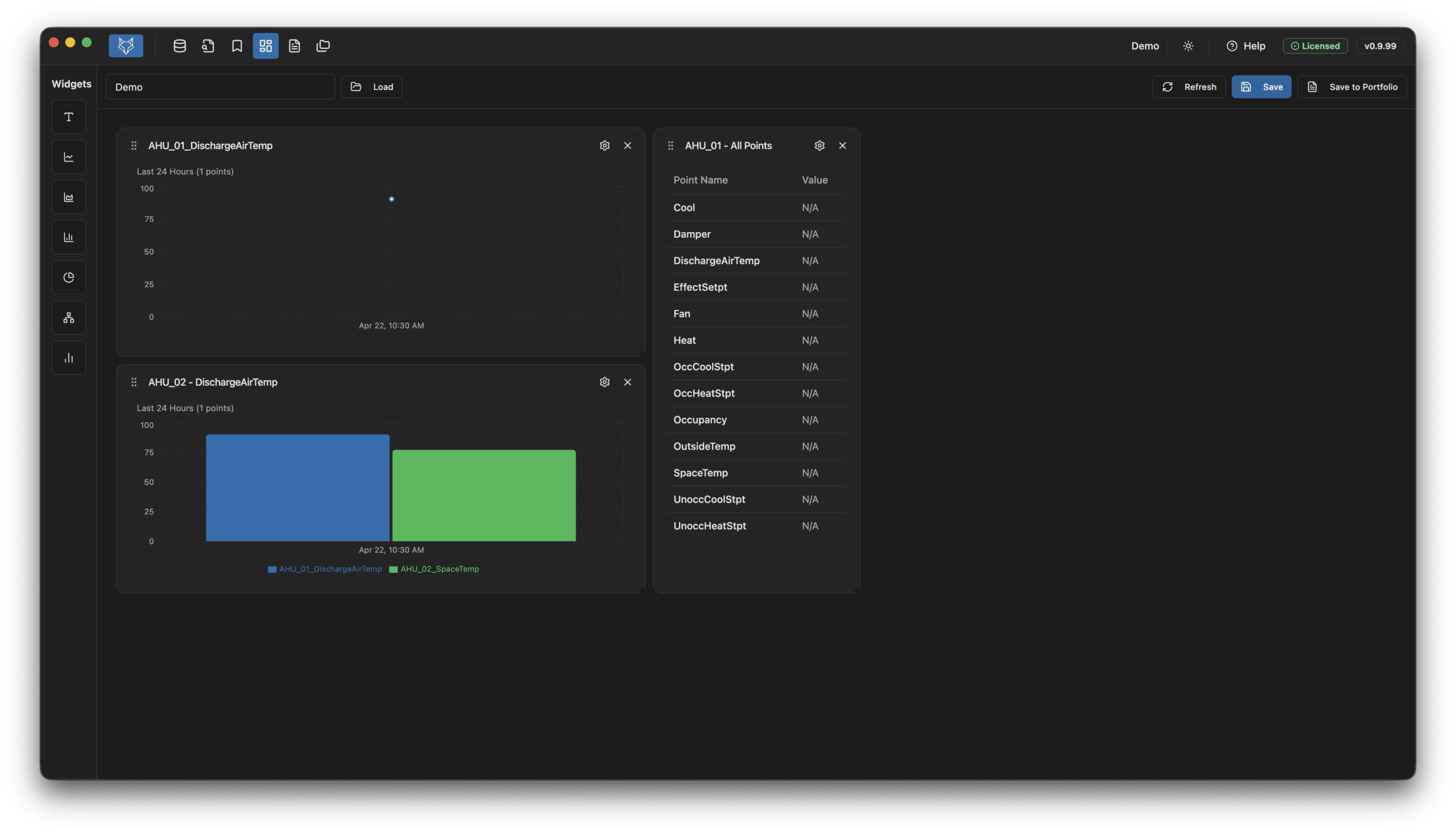
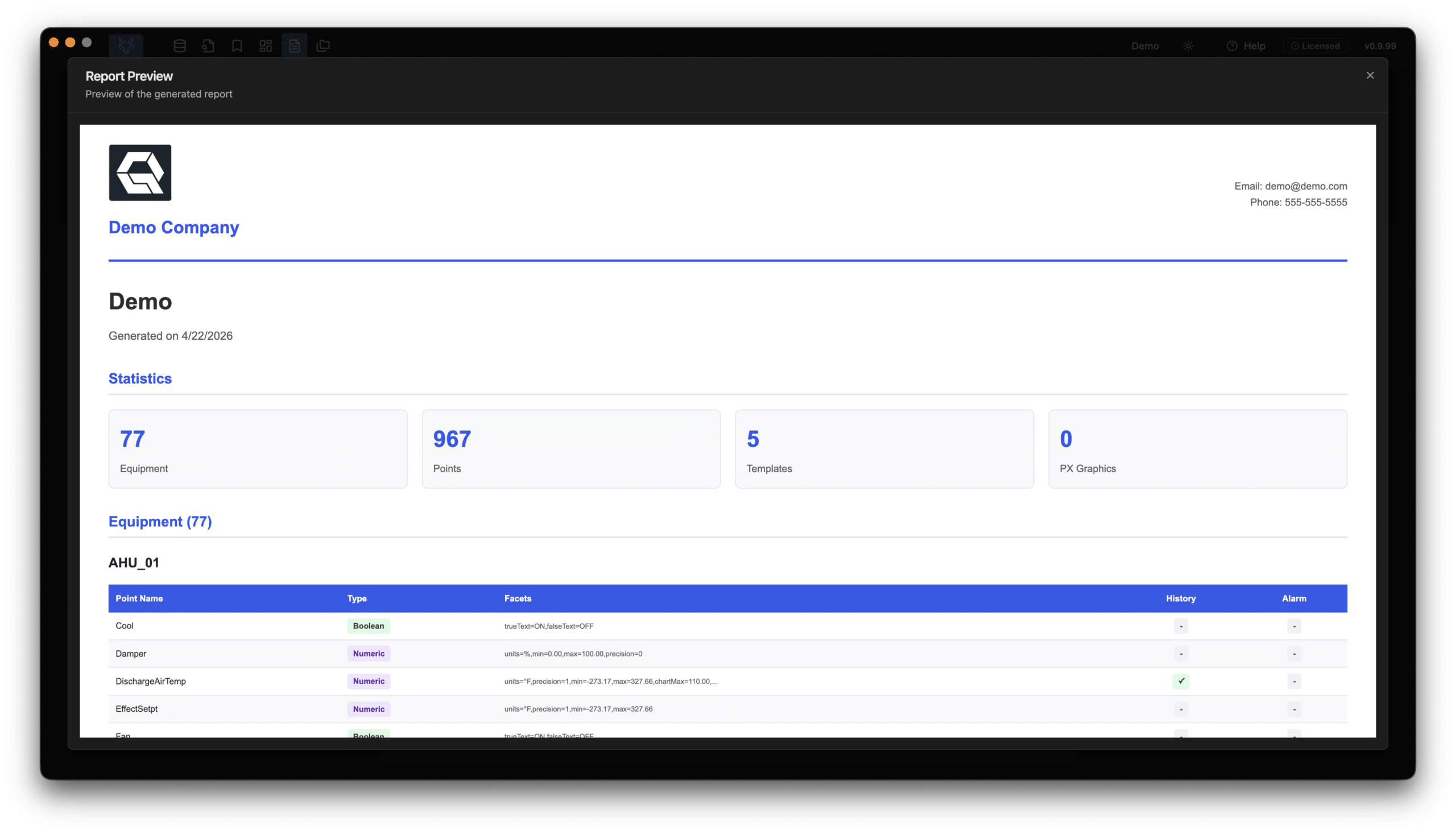
- Dashboards & Reports: Build configurable dashboards with live or historical data. Generate branded site reports.
- $1500 Annual License: Per user/machine
Feature Deep Dive
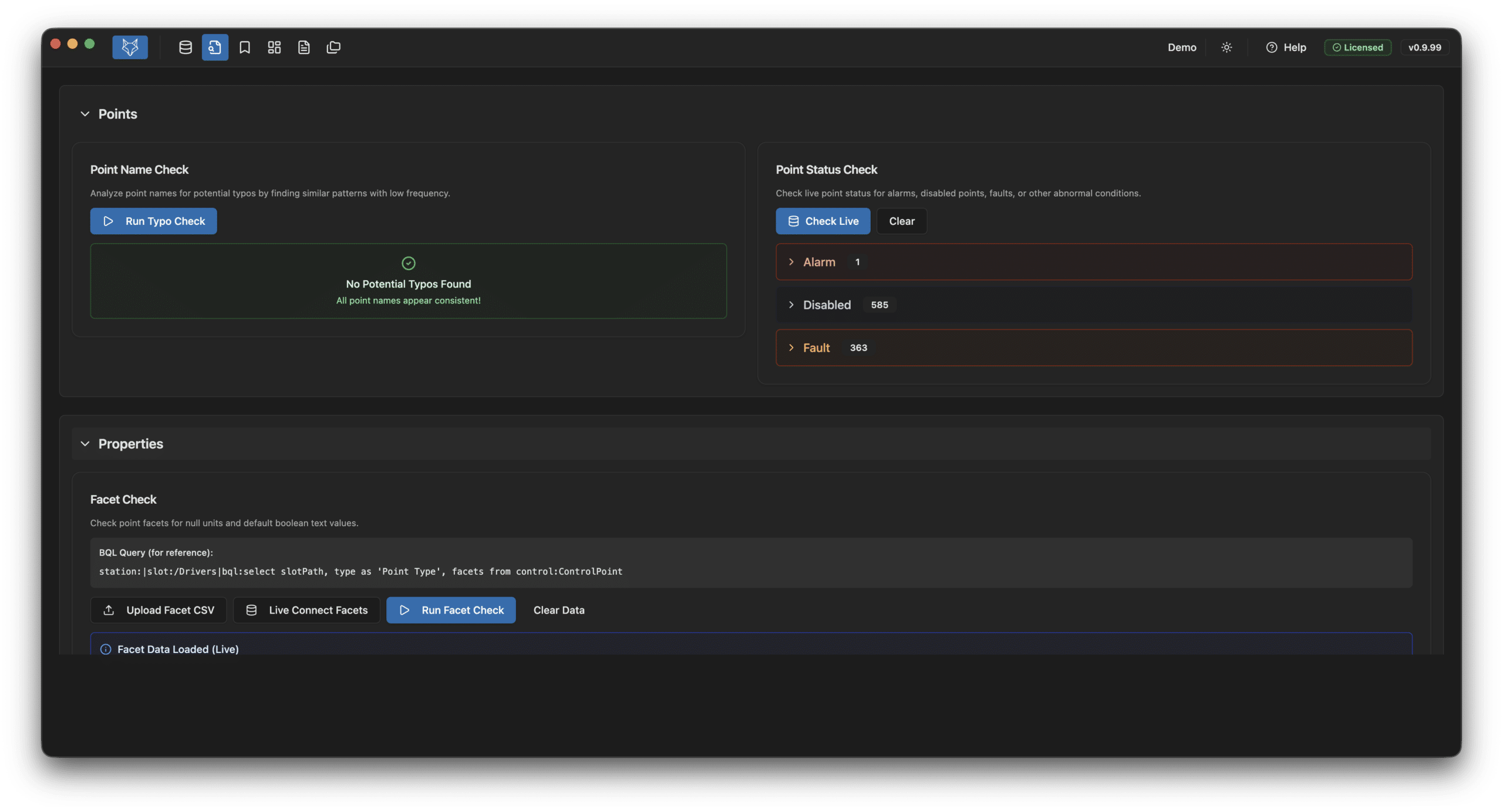
- Point Name Check: Flags potential typos by finding similar point names
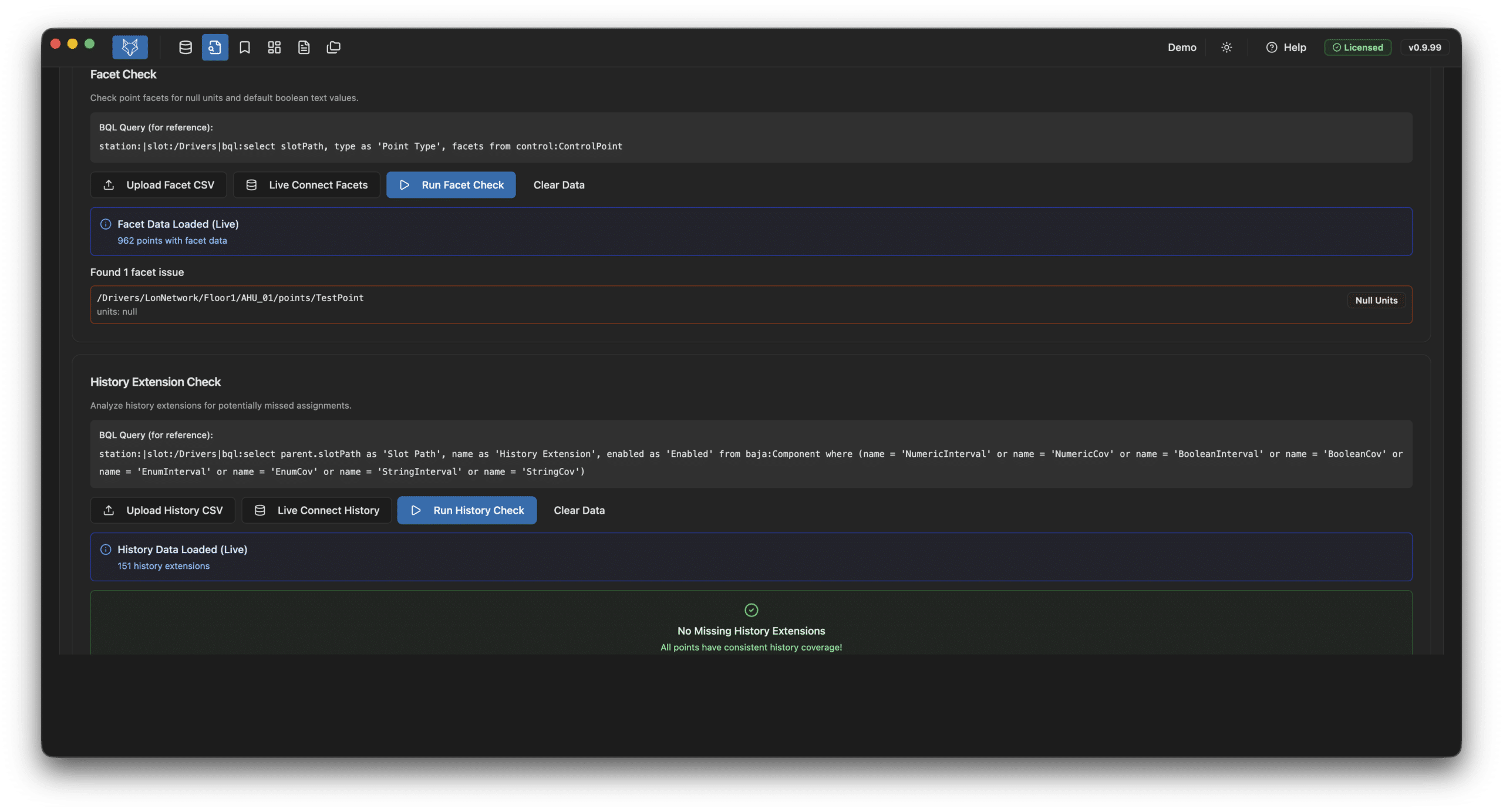
- Facet Check: Verifies units are set and boolean text is configured
- Alarm Extension Check: Same smart verification applied to alarm extensions
- Point Status Check: Lists all points in abnormal state (disabled, fault, overridden)
- History Extension Check: Ensures points that should have history extensions do, and they’re enabled
- Graphics Review: Validates all equipment points appear on a graphic, flags duplicate bindings
- Station tree filtered to just equipment with search and ability to hide/exclude controllers
- View all points with type, facets, history/alarm extensions, and enabled status
- Query live values and statuses — click to copy any point path to clipboard
- Add notes on individual equipment for project records
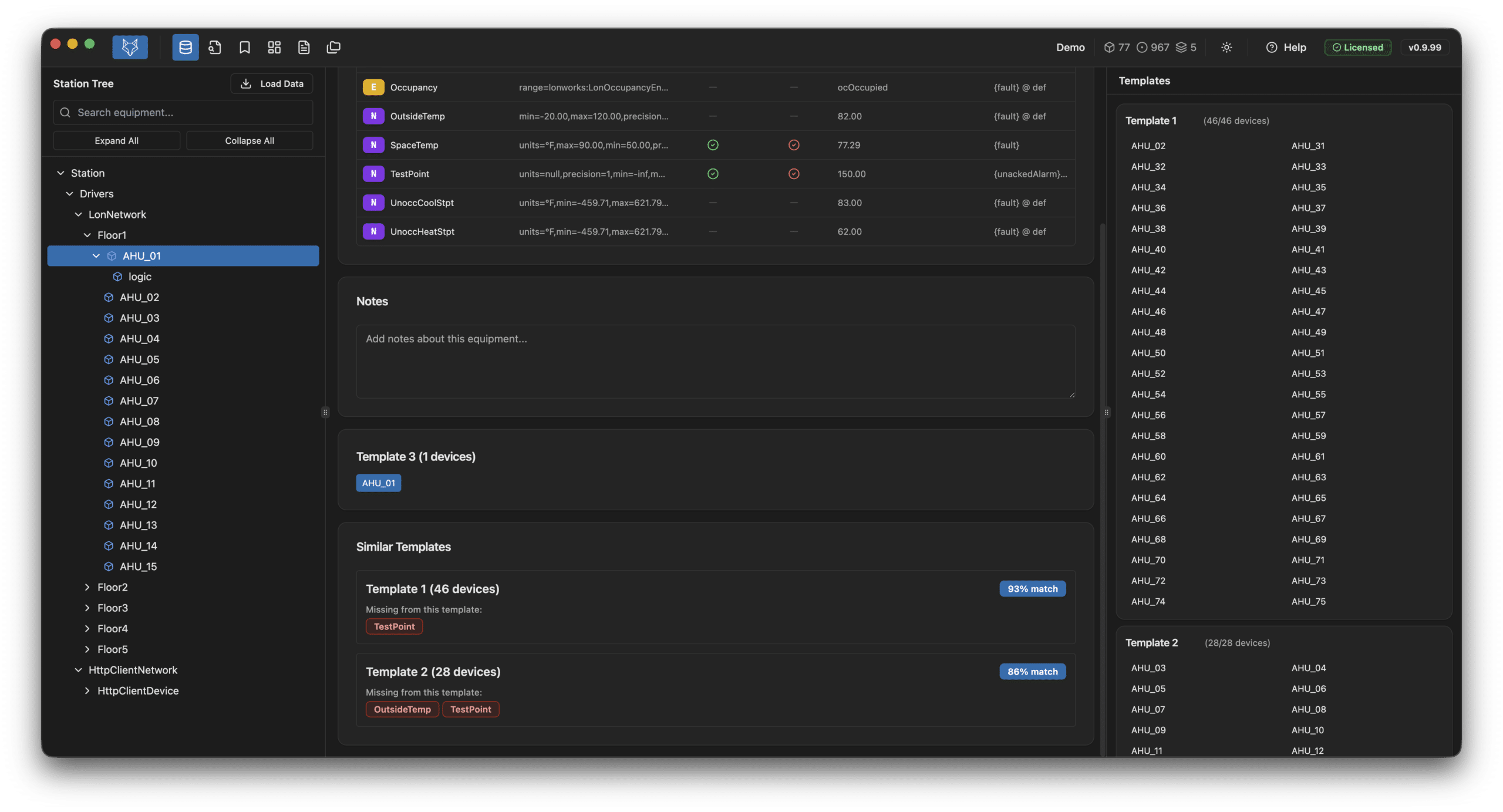
- Auto-sorts equipment into templates based on matching points
- Shows differences between similar templates and unique equipment
- Right pane lists all templates with included equipment
- Subfolders mistakenly marked as equipment can be merged with parent
- Configurable widgets: line charts, pie charts, and point value tables
- Choose between Live (current value) and Historical (time series) data
- Color-coded charts with customizable display settings
- Save dashboard setups to include in reports and portfolio
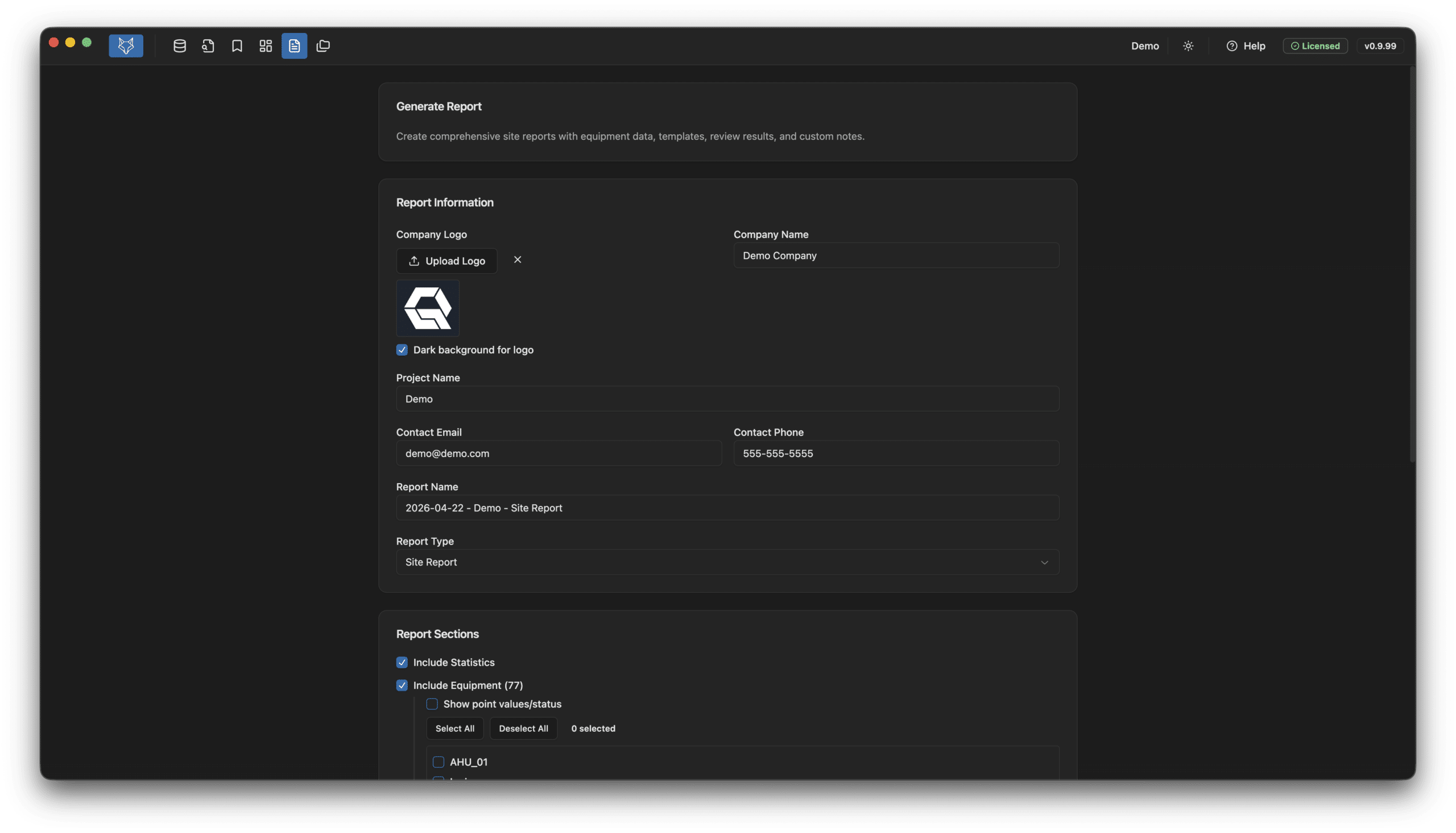
- Enter project info and upload your company logo for branded reports
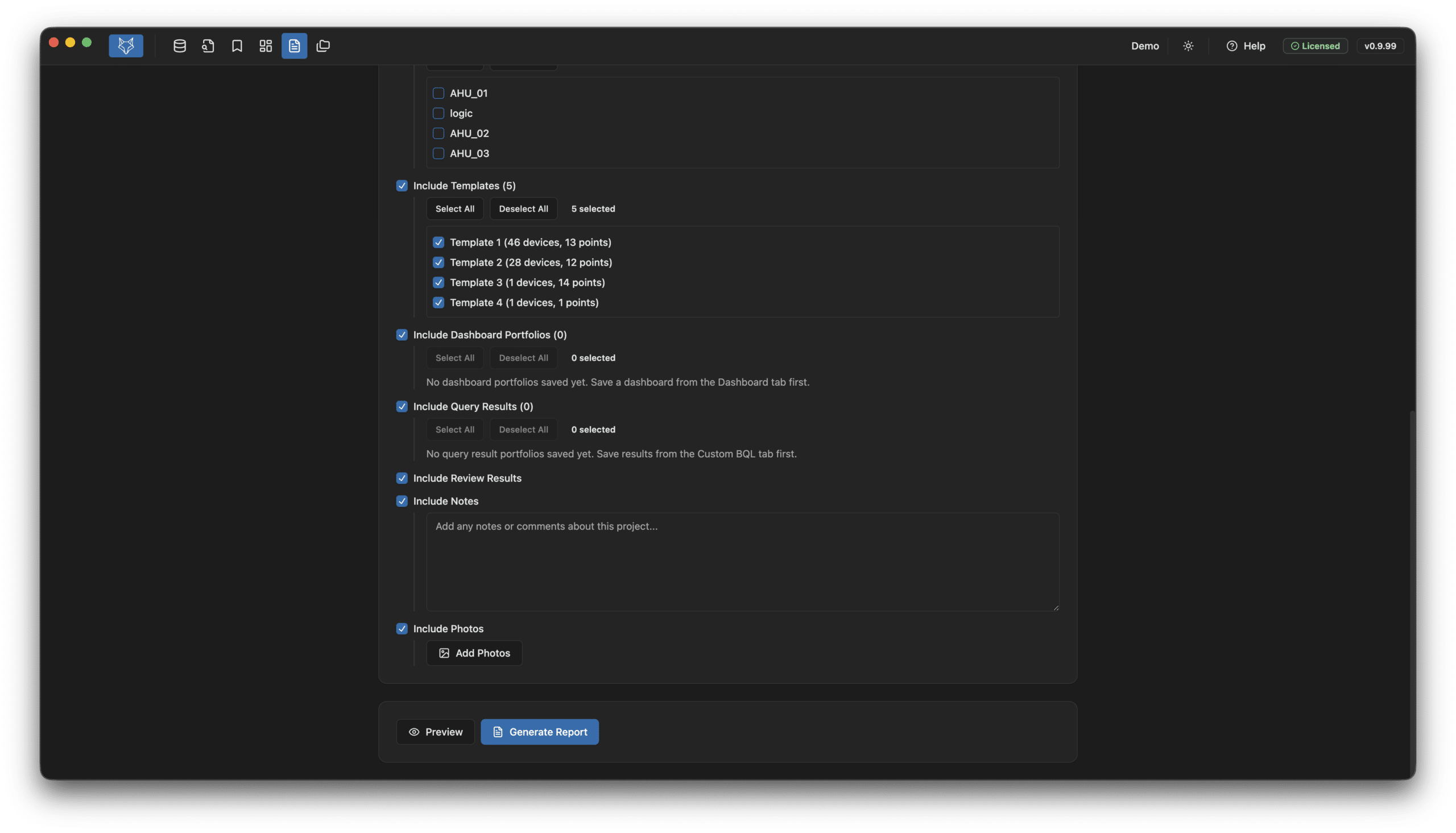
- Choose which sections to include: equipment, templates, queries, dashboards, reviews
- Two report types: full site report or single equipment report
- Preview your report before generating the final output
- Include notes and photos in the report
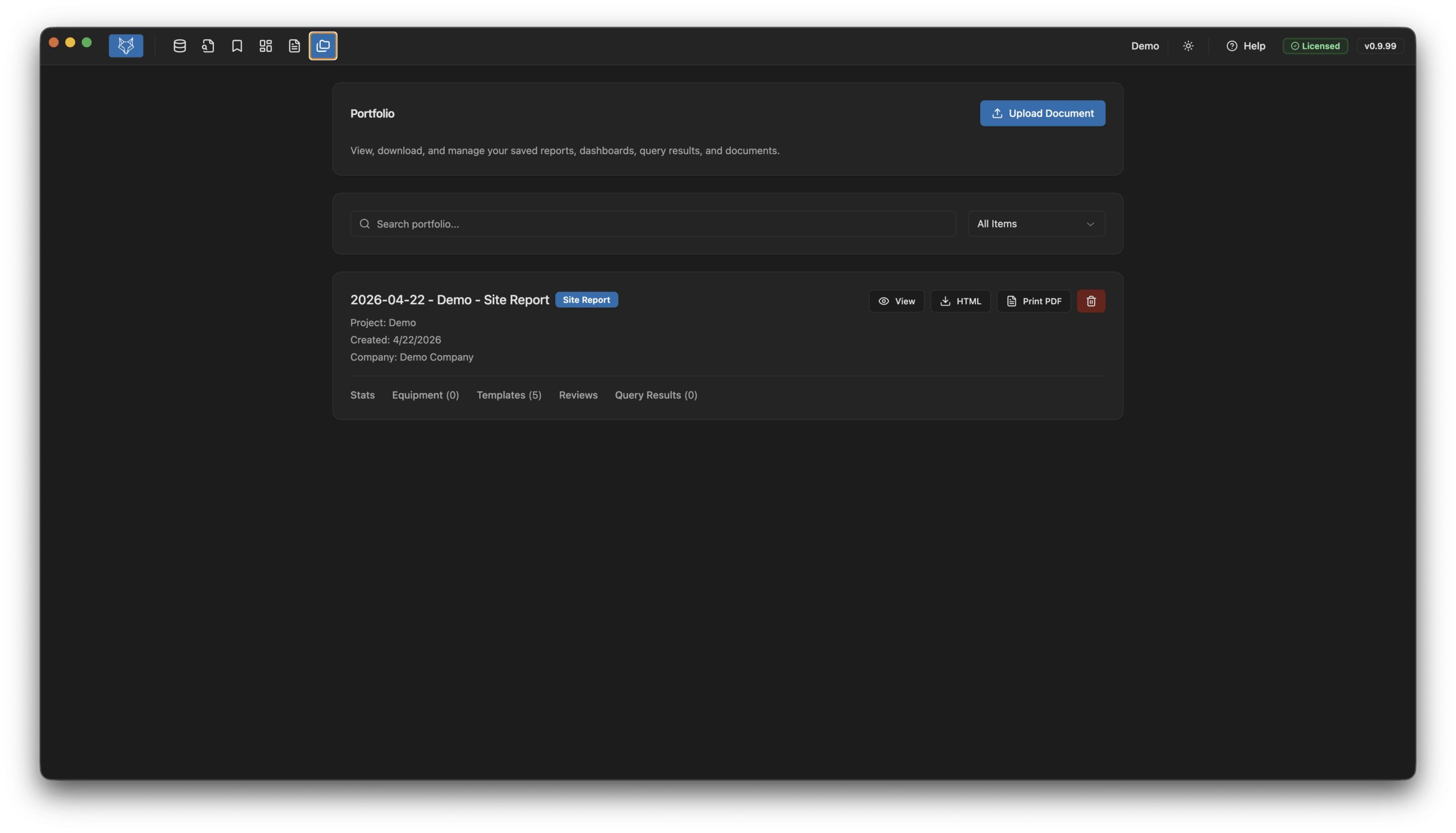
- All saved reports, dashboards, query results, and documents in one place
- Default naming format: date-project-type for easy sorting
- Filter by type and search across all saved items
- Export as HTML, PDF, or CSV
- Upload additional documents to your project
- Everything saved to a single project file — pick up right where you left off
Create a dedicated user specifically for the Foxhound connection with no admin privileges. Set the HttpDigestScheme on the user (found in the Baja palette). Connects via HTTPS with support for self-signed SSL certificates. Your project file contains all your data, uploaded files, saved queries, dashboards, and reports.
Template Use Case
Reviews Use Case
Graphic Review Use Case
Ready to Get Started?
QAGFoxhound puts professional-grade data visualization at your fingertips — and getting stared is just as effortless as using it. Complete our short application, and our team will approve it in no time. No lengthy paperwork, no complicated setup — just fast access to the professional-grade data visualization tool you need.
Why Choose Us for Your BAS Graphics Needs?

Reduced Lead Time
Shorten the time it takes to deliver BAS graphics by outsourcing to our dedicated graphical team

Use The Experts
Have your team focus on programming and let us take care of the BAS graphics

Efficient Graphics
Create a standard within your company to maximize a creative look and feel for your end customer

Cost Savings
Increase your ROI by saving your technicians time and your budget by reducing graphical software when you outsource with us

Learn More About Our Full Suite of Services
QA Graphics is a full-service outsourcing company, providing custom HVAC system graphics, as well as design services for interactive platforms. We help clients visualize their needs and simply their lives. Our talented designers come form a wide range of backgrounds to provide the personal attention and expertise needed to being our clients’ ideas to life. Our partnerships with industry leaders like Johnson Controls and Schneider Electric ensure high-quality BAS graphics solutions.
Who We Are
We are a full-service outsourcing company, providing custom HVAC system graphics and BAS graphics design services for interactive platforms. Helping clients visualize their needs and simplify their lives, our talented designers come from a wide range of backgrounds to provide the personal attention and expertise needed to bring our clients’ ideas to life.
All of our work is completed in-house, with a team comprised of both creative and technical staff, including graphic designers, 3D designers, developers, programmers, architects, and mechanical engineers, to ensure we meet our clients’ diverse needs. We are a fun and creative group who takes pride in our Midwestern values and affordable prices.

FAQs
About Foxhound
Foxhound is a desktop assistant for engineers working with the Tridium Niagara Framework. It speeds up point exploration, integration checks, graphics review, and report generation — the kind of work that normally means flipping between Workbench, spreadsheets, and a Word document.
Niagara integrators, controls technicians, commissioning agents, and BAS designers who deliver projects on the Niagara platform and need faster ways to audit stations and produce documentation.
No. Foxhound is an independent third-party tool built by Robert Hansen. It complements Niagara Workbench but is not affiliated with or endorsed by Tridium.
No. Workbench is still your engineering tool. Foxhound sits alongside it — load a CSV export or connect live, then run the checks and reports that would be tedious to do by hand.
Platforms & Requirements
- Windows 10 (64-bit, version 1809 or later) or Windows 11
- macOS 12 (Monterey) or later, on Apple Silicon (M1/M2/M3/M4)
No. Foxhound ships an Apple Silicon build only.
Not at this time.
4 GB RAM minimum (8 GB recommended), 500 MB of free disk space, and a 1280×768 or larger display. Installed footprint is roughly 150–200 MB.
Only for license activation and periodic revalidation. Once activated, Foxhound works offline.
Licensing & Activation
$1,500 per year for a single-user, single-machine subscription. The license includes all product updates and email support while active.
Each license activates on one computer at a time. On first launch you enter your key; Foxhound generates a hardware fingerprint and binds the license to that machine.
No. A license is one active seat. If you need a second seat, you need a second license.
On the old machine, open Help ? License Information and click Deactivate License. That frees the seat. Enter the same key on the new machine to reactivate.
Email [email protected] with your purchase email or license key and we’ll release the seat manually.
It does occasional background revalidations and a mandatory online check every 30 offline days.
Loading Station Data
Two paths: upload a CSV exported from Niagara Workbench, or connect live to a station’s web service over your network.
The standard Workbench CSV export. Foxhound expects the column layout produced by the default export — custom exports may not parse correctly.
Click Live Connection in the sidebar and enter the station URL, e.g. https://192.168.1.100. You need to be on the same network as the station, and the station’s web service has to be running.
- Verify the URL is correct and the station is reachable from your machine
- Try the IP address instead of a hostname
- Confirm the station’s web service is enabled
- Check firewalls and VPN routing
Stations with 10,000+ points work, though large exports may take a few seconds to load. Performance depends on your machine and how many extensions are present.
Projects
It’s a Foxhound project file — a single document that holds your loaded station data, notes, report configuration, and any work in progress for a given site.
Wherever you save them. There’s no central project library — you choose the location when you create a new project.
Yes. Projects auto-save every 2 minutes when changes are detected. You can also save manually with Ctrl+S or via the fox logo menu.
Yes. .fhproject files are self-contained — send the file and your teammate can open it in their own licensed copy of Foxhound.
Check the project folder for a recent auto-save copy. As a last resort, open the file in a text editor to see if data can be salvaged. If you’re stuck, contact support with the file attached.
Features
Navigate the full station tree, search and filter points, detect equipment templates automatically, and run a side-by-side comparison of two stations or exports.
- Point name typo and naming-pattern checks
- Facet validation
- History extension review
- Alarm extension review
- Graphics binding review
It parses PX files, shows which graphics belong to which templates, and flags missing or broken bindings.
Site reports, equipment reports, and automated health checks. Reports are configurable — pick the sections you want (templates, equipment lists, history extensions, alarm extensions, health results), add notes and photos, and generate.
Points in fault, active alarms, points with overrides, and sensor outliers — the things you’d normally hunt for one tab at a time.
Yes. Reports export to HTML, can be printed to PDF from there, and commissioning data can be exported to XLSX with CxA-formatted columns.
Security & Privacy
Locally, on your machine, inside the .fhproject file. Nothing about your stations leaves your computer.
No. The only outbound network calls Foxhound makes are to the licensing API at qagraphics.com — for activation, validation, and deactivation. Station data, point lists, graphics, and reports stay on your machine.
Gatekeeper sometimes flags builds during the early signing/notarization rollout. Right-click the app and choose Open, or approve it under System Settings ? Privacy & Security. After that first approval, macOS won’t prompt again.
SmartScreen warns about apps until enough installs build reputation. Click More info ? Run anyway. Reinstalling from the official purchase-page link ensures you have the genuine installer.
Troubleshooting
Try right-clicking the shortcut and choosing Run as Administrator. Confirm Windows Defender or your AV isn’t quarantining the app. If it still won’t open, reinstall using the link on your purchase page.
On first launch, right-click the app and choose Open to bypass Gatekeeper, or approve it in System Settings ? Privacy & Security. If the app is genuinely broken, reinstall from your purchase page.
Delete the user-data folder and relaunch:
- Windows:
%APPDATA%foxhound - macOS:
~/Library/Application Support/foxhound
You’ll need to re-enter your license key after wiping.
Updates download silently in the background and install on the next restart — no reinstall, no re-entering your license key. As long as your subscription is active, you’ll always be on the latest build.
Update checks run on launch and require internet. If the check is blocked by a firewall or proxy, allow outbound HTTPS to GitHub. If you’ve been offline for a while, just relaunch with internet connected.
Your license is bound to one machine. Deactivate from the original computer (Help ? License Information ? Deactivate License), then activate on the new one. If the old machine is unavailable, email support and we’ll free the seat.
Confirm the data actually loaded (CSV or live), check that filters aren’t hiding rows, and verify the source export contains the data you expect. Re-exporting fresh from Workbench resolves most missing-data issues.
Our Customers




QA Graphics did an exceptional job on the graphics for our recent project, which was full of confusing and complex systems. You would almost think that QA Graphics was part of the project from the beginning. In fact, I have been surprised many times to find that little obscure things were picked up on that I was sure would be missed. I REALLY appreciate the work QA Graphics did on this project.
JAMES PLATANIA
Senior Systems Engineer
– Johnson Controls, Inc –
I would like to throw a huge shout-out to you and your team for all the hard work on the project. After downloading the new MUI package we expected to see problems and were prepared to come back to QA with a bunch of fixes. This was not the case at all. QA really nailed it on this one and we at JCI are so thankful that you are part of the team!! This was by far the smoothest package that we have had to drop in and it really made us look good in front of this customer. This site has now become a showcase piece for future MUI sites and we are excited to show off the work that was done. Again, thanks so much for all the hard work and please let your team know how much we appreciate them going the extra mile to get this done in such a tight time frame. Looking forward to continuing the relationship and growing together as the future brings on more exciting projects.
Brett C.
Account Service Representative
– Johnson Controls, Inc –
Featured BAS Graphics Posts

As AI continues to transform industries, you might wonder why QA Graphics hasn’t fully automated the creation of BAS graphics and 3D floor plans. While AI is a powerful tool, it still falls short when handling the complexity and inconsistency of the assets you provide.

Why the visual layer needs a lifecycle standard, not just a project standard. Building automation graphics are usually built near [...]

System integrators have historically been QA Graphics’ primary customers, and that will likely continue to be the case. They have [...]

AI comes up in almost every business conversation now. Companies feel like they need to be using it. Employees are [...]